Checking App Permissions Before a Rummy Download
An app’s requested permissions deserve attention before installation, especially when the app handles an account or payments. A rummy game may reasonably need network access and notifications if you choose to receive them. It may not need unrestricted access to contacts, messages, microphone, or files for ordinary card play.
Download only from a source you can verify. Check the developer name, recent update information, support address, and user reports, while remembering that copied logos and reviews are easy to create. Compare the app’s name and package information with the platform’s official listing. Avoid links delivered through unsolicited messages or pages that pressure you to disable security protections.
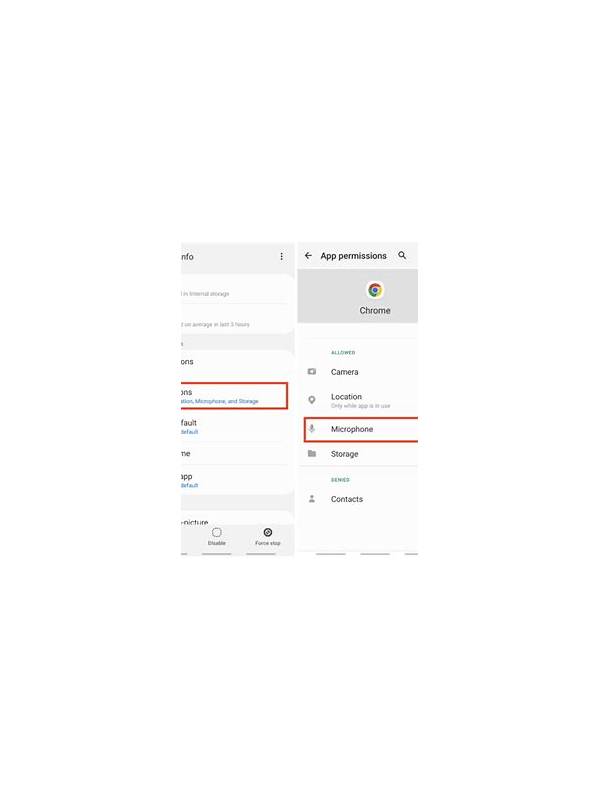
Read the permission screen slowly. If a request seems unrelated, deny it or stop the installation until you understand why it is needed. On Android and other systems, permissions can often be changed later in settings. Review them after an update because an app may introduce a new request. Keep the operating system and security tools current.
Protect payment information separately. Use strong, unique account credentials and enable available account protection. Do not save card details in an unfamiliar app, and never share a verification code with someone claiming to be support. Official support should not need your password or remote control of your device.
If the app behaves oddly—unexpected pop-ups, unexplained battery use, or repeated permission prompts—close it and investigate before signing in again. Uninstalling may not remove every account risk, so change credentials from a trusted device if you entered sensitive information. A permission check takes a minute and can prevent a much longer cleanup.
Review the privacy policy only for questions that matter to your use: what data is collected, why it is collected, how long it is kept, and how you can request deletion. A long policy is not automatically trustworthy, but missing contact details and vague data practices deserve caution. Be especially careful with accessibility, overlay, and device-administrator permissions because those can provide broad control beyond ordinary gameplay.
If you deny a permission and the app still works, leave it denied. Convenience is not a reason to grant access unrelated to the game. Revisit the decision only after a clear, official explanation of the feature that needs it. Permission review should include updates already installed; remove access that is no longer needed and restart the device if security software recommends it. This is a sensible routine for every device.